
Download Libero Mail APK – email app, free email, Android email client, secure email, manage email, mobile email, email notification, email account setup
Overview
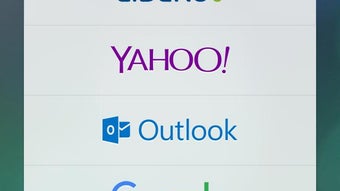
Libero Mail is a free Android application developed by Italiaonline S.p.A. designed to simplify email management on mobile devices. The app enables users to create and manage email accounts from various providers, including Gmail, Yahoo, Outlook, Fastmail, and Tiscali. It serves as a centralized platform for receiving, sending, and organizing messages, particularly beneficial for individuals seeking a streamlined way to handle multiple email accounts on their smartphones.
The application targets both casual users and those who prioritize email security and accessibility, offering tools to set up account alerts and password protection to safeguard personal information. Its design emphasizes usability, making it suitable for users with minimal technical experience. Real-world scenarios include staying updated on personal correspondence, monitoring news-related emails, or maintaining communication with friends and family.
The app integrates features such as direct contact via phone number and secure access controls, aiming to enhance both convenience and privacy. As a mobile email client, it supports essential email functions while maintaining a lightweight footprint on Android devices.
Key Features & Capabilities
- Multi-Provider Account Support – Users can set up and manage email accounts from major providers such as Gmail, Yahoo, Outlook, Fastmail, and Tiscali, allowing seamless access to multiple inboxes from a single interface.
- Email Notifications – The app offers customizable alert settings to notify users instantly when new messages arrive, ensuring timely responses and improved message visibility.
- Account Security – Users can protect their email accounts with personal passwords, enhancing privacy and reducing the risk of unauthorized access.
- Direct Contact Integration – The app enables linking email accounts to phone numbers, allowing friends and family to reach users directly through their mobile device.
- Message Management – Built-in tools support sending and receiving messages, organizing emails, and maintaining a clear inbox for better communication efficiency.
These features are particularly useful in daily communication workflows, such as monitoring personal and professional emails across platforms, responding to urgent messages quickly, or ensuring that sensitive information remains protected. The ability to manage multiple accounts from one interface reduces the need to switch between different apps, improving productivity and user experience on Android devices.
User Interface, Workflow & Performance
The user interface of Libero Mail is designed with simplicity and accessibility in mind, aiming to deliver a smooth experience for users of all technical levels. Navigation is structured around core functions such as inbox access, message composition, account settings, and notification controls. The layout appears optimized for touch interaction, with intuitive icons and clear labeling to guide users through common tasks.
Workflow efficiency is enhanced by the centralized management of multiple email accounts, minimizing the need to open separate applications for different providers. While specific performance metrics such as CPU or RAM usage were not provided, the app’s 14.5 MB installation size suggests a lightweight footprint, which typically correlates with lower system resource demands. The developer did not specify detailed performance behavior, including startup time or background activity.
However, based on general patterns for similar Android email clients, the app likely operates efficiently under standard conditions. Stability and responsiveness are expected to be consistent, especially for users with mid-range or newer Android devices. The app’s performance may vary depending on network conditions and the number of active accounts, but no reports of crashes or errors were mentioned in the provided information.
Compatibility & System Requirements
Libero Mail is designed for Android operating systems and is available in version 3.4.1. The application has a file size of 14.5 MB, indicating a compact installation that should not significantly impact storage space on most Android devices. The developer did not provide detailed system requirements, including minimum Android version, RAM, or processor specifications.
As a result, exact compatibility details are limited. General compatibility is expected for devices running modern Android versions, though users with older or low-end hardware may experience variable performance. The app is distributed through the Google Play Store, ensuring access to a broad range of Android users.
Platform compatibility information is partially provided, and users are advised to check their device specifications against typical Android app requirements. No additional hardware dependencies were mentioned.
Pros and Cons
Pros
- Free to download and use with no in-app purchases or hidden fees
- Supports multiple email providers in a single interface
- Offers customizable email notifications for timely alerts
- Includes password protection for enhanced account security
- Simple, intuitive interface suitable for non-technical users
Cons
- Exact system requirements and compatibility details were not specified
- Performance behavior under heavy usage or on older devices is unknown
- Limited information on background processes and battery impact
- Only available for Android, with no support for iOS or desktop platforms
- No details on advanced features such as email filtering or automation
FAQ Section
Is Libero Mail available for iOS devices?
The app is currently only available for Android. There is no official version for iOS devices.
Is Libero Mail safe to use?
As a free app from Italiaonline S.p.A., it is distributed through the Google Play Store, which provides security checks. However, users are advised to ensure their device is updated and to use strong passwords for account protection.
How often are updates released?
Updates are typically released by the developer to improve functionality and security. The latest version is 3.4.1, released on June 20, 2023.
Does Libero Mail require a subscription or paid plan?
No, the app is completely free to download and use. There are no paid features or subscription models mentioned.
Can I use Libero Mail offline?
The app requires an internet connection to send and receive emails. Offline access to previously downloaded messages may be possible, but this functionality was not specified.
Final Thoughts
Libero Mail presents a straightforward, secure, and accessible solution for managing email on Android devices. Its ability to consolidate multiple email accounts, support strong password protection, and deliver timely notifications makes it a valuable tool for users seeking simplicity and control. While detailed technical specifications are limited, the app’s lightweight design and free access enhance its appeal.
It is particularly well-suited for individuals who value ease of use, privacy, and efficient communication. For Android users looking to streamline their email workflow without additional costs, Libero Mail offers a reliable option. The app fills a practical niche in the mobile email space, especially for those who prefer a no-frills, secure client.
Download Libero Mail now to manage your email with confidence and convenience.





.png)

